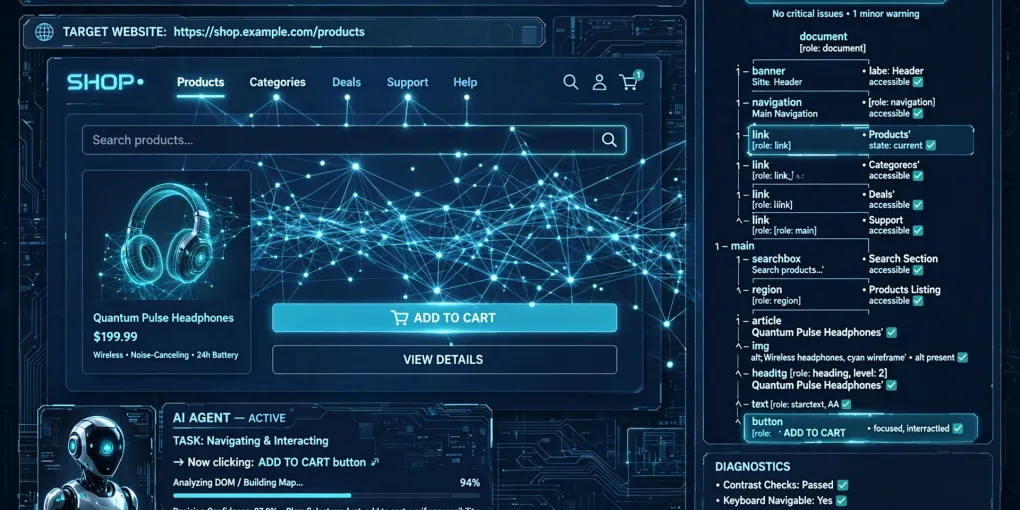
Agentic Browsing: How to Pass the PageSpeed Insights Check
Summary: Google introduced a new category in PageSpeed Insights: Agentic Browsing, which evaluates how ready your site is for AI agents like ChatGPT and Claude. In this article I explain the three core checks you need to pass: a well-formed accessibility tree with practical aria-label examples, Cumulative Layout Shift of zero with techniques to stabilize your page layout, and the llms.txt file with clear instructions on what to include and why it matters for AI agents. I also cover WebMCP, the emerging protocol that is not yet a priority, plus a final compliance checklist for your site.
Google introduced a new category in PageSpeed Insights: Agentic Browsing. It is not a classic score but a set of checks evaluating how ready your site is for AI agents.
If you have opened PageSpeed Insights recently, you might have noticed a new section called “Agentic Browsing”. Unlike other categories, it does not have a 0-100 score but shows a pass ratio (e.g., 3/3).
Note: This category is experimental and based on proposed standards. Requires Chrome 150+.
This article covers the 3 fundamental checks I passed on my blog, plus a look at WebMCP for the future.
1. Well-Formed Accessibility Tree
The accessibility tree is the primary data model for AI agents. If malformed, agents cannot understand your page structure.
What Lighthouse checks
- Every interactive element must have a name : buttons, links, inputs with visible text or `aria-label`
- Valid roles and parent-child relationships : proper HTML hierarchy
- Content not hidden from the accessibility tree while interactive
What I did
I fixed the “Buttons must have discernible text” error on the language switcher icon button. Here is the before and after:
<!-- BEFORE: no visible text -->
<button><GlobeIcon /></button>

<!-- AFTER: with aria-label -->
<button aria-label="Switch language"><GlobeIcon /></button>
Note: The ```html block is formatted HTML code for readability. It is not part of the live site, just a visual example.
Prompt for Vibe Coding
Ensure every button, link, and input has an aria-label or visible text.
Icon-only elements must have aria-label for AI agents and screen readers.
2. CLS = 0
Cumulative Layout Shift measures visual stability. CLS = 0 means no elements shift during loading.
Why it matters for agents
AI agents identify elements by position. If an element shifts, interaction fails. Common causes:
- Ads pushing content down
- Images without explicit dimensions
- Late-loading fonts causing reflow
How to achieve CLS = 0
img, video, iframe { width: 100%; height: auto; aspect-ratio: auto; }
.ads-container { min-height: 250px; }
html { font-display: swap; }
Prompt for AI
Optimize for CLS = 0: add width/height to every image, reserve space
for dynamic content, use font-display: swap.
3. llms.txt File
llms.txt is an emerging standard (proposed by answer.ai) that gives AI agents a machine-readable site summary in markdown format, placed at the domain root (/llms.txt).
llms.txt Example
Create a file named llms.txt at your site root (/llms.txt) with this format:
# Your site name

> Brief site description.

## Main Pages

- [Page Title](https://yourdomain.com/page)
- [Another Title](https://yourdomain.com/another)
Replace the data with your actual content and real links.
Why it matters
It tells ChatGPT, Claude, Gemini “here is what you will find on my site” without scanning everything. Update it whenever you publish new content. And if you want users to flag you as a trusted reference, check out Google’s Preferred Sources.
WebMCP: The Future
WebMCP is an emerging protocol for exposing AI tools on websites. Currently experimental (origin trial in Chrome 150+).
For now, it is not a priority. The 3 checks above are what matters today. When WebMCP becomes a standard, I will publish a dedicated deep dive.
Frequently Asked Questions
What is Agentic Browsing in PageSpeed Insights?
It is a new experimental Lighthouse category that evaluates how ready a site is for AI agent navigation. Unlike other categories, it does not produce a 0-100 score but a pass ratio (e.g., 3/3). The tests are deterministic and reproducible in CI/CD pipelines.
Is llms.txt required for Agentic Browsing?
Yes, it is one of the three core checks. The llms.txt file, placed at the domain root, provides AI agents with a structured site summary. Without it, agents must scan the entire site to understand its content, increasing time and cost.
Should I implement WebMCP yet?
Not yet. WebMCP is still experimental and only available through an origin trial on Chrome 150+. For now, focus on the three active checks: accessibility tree, CLS = 0, and llms.txt. When WebMCP becomes a standard, an update will follow.
Final Checklist
- Accessibility tree : every interactive element has a name
- CLS = 0 : explicit dimensions on images and content
- llms.txt : file at the domain root
- WebMCP : evaluate in the future
For more technical SEO tips, read my Technical SEO Guide for Vibe Coding.
Need help with SEO or web development?
Every article I write comes from hands-on experience in the field. If you're looking for a consultant to guide you with strategy and expertise, I'm here for you.