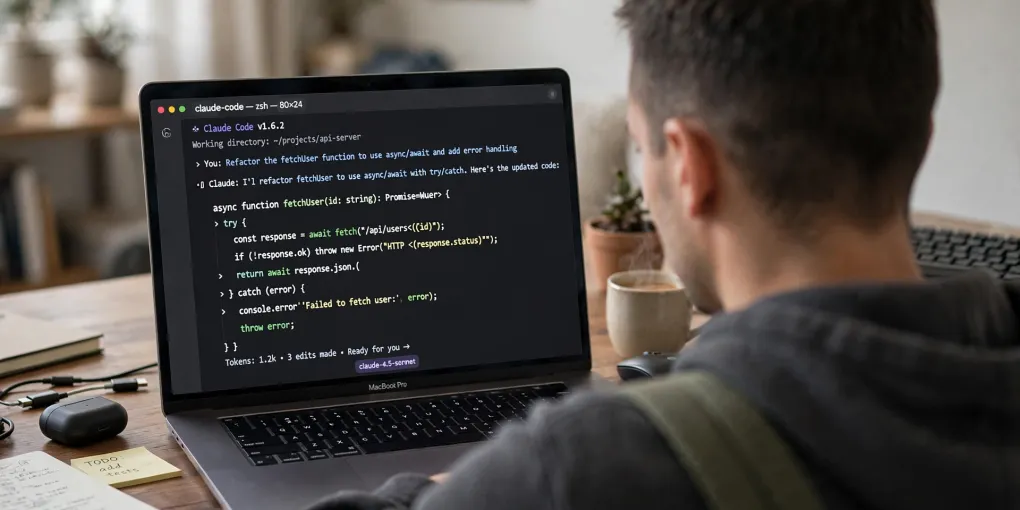
Technical SEO Guide for Vibe Coding: Structured Data, Core Web Vitals, and Frameworks
Summary: Vibe Coding is easy, but without technical SEO your site stays invisible. This practical guide shows you exactly what to ask your AI for an optimized site: from choosing the right framework with SSR or SSG, to optimizing Core Web Vitals (LCP, INP, CLS), implementing JSON-LD structured data, hreflang tags, robots.txt, and XML sitemaps with priorities. Each section includes a ready-to-use prompt for your AI and a clear explanation of why that element is critical for Google ranking. You will also find a dedicated section on common mistakes to avoid and a complete 12-point pre-launch checklist to verify everything before going live.
Developing with artificial intelligence is just the first step. To make your project visible on Google, technical SEO is the true multiplier of results.
Vibe Coding lets you go from idea to prototype in minutes, but I’ve noticed that many people stop there: they launch an AI-generated website and wonder why Google can’t find it. The answer is almost always the same: technical SEO is missing.
It’s not enough to describe a website in natural language and rely on AI for everything else. Google’s crawlers need clear, structured signals to understand, index, and rank your content (and once ranked, Preferred Sources can make them even more visible). And these signals — AI won’t generate them on its own. They need to be guided with precision.
In this article, I’ll show you what to ask your AI (and how) to build a solid technical SEO foundation, based on my direct experience. In my previous article on Vibe Coding and SEO, I explained why AI alone isn’t enough — here we dive into the operational details.
Note: This guide comes from my experience with Next.js and Astro, the frameworks I use for my projects. If you haven’t chosen your tech stack yet, I recommend reading the framework section below first.
Choosing the Right Framework: The Foundation of Everything
The first technical mistake I see people make with Vibe Coding is letting the AI choose the stack. The typical prompt “create a website for my business” almost always produces Client-Side code that Google’s crawlers struggle to process.
What you need to do is specify the framework immediately in the prompt:
- Server-Side Rendering (SSR): The server generates HTML for each request. Google sees the content instantly. Ideal for dynamic content sites.
- Static Site Generation (SSG): HTML is generated at build time. Even faster for Google. Perfect for blogs and content sites.
- React Server Components (RSC): The new React standard. They combine SSR with interactive client-side components efficiently.
Practical example: The right prompt
❌ Wrong prompt: "Create a website for my blog about interior design"

✅ Right prompt: "Create an interior design blog with [Next.js/Astro] in [SSR/SSG] mode.
   Use JSON-LD structured data for every article. Generate an automatic sitemap.
   Make sure content is server-rendered, not client-side."
I personally use Next.js for my main website marcomodonesi.com — which gives me SSR and dynamic pages — and Astro for this blog, where static generation delivers maximum speed and SEO performance.
I dive deeper into this topic in my article Vibe Coding and SEO, where I explain why framework choice is the first real discriminator for ranking.
Core Web Vitals: Optimizing Speed with Vibe Coding
Core Web Vitals are the metrics Google uses to evaluate a page’s user experience. There are three:
| Metric | What it measures | Google threshold |
|---|---|---|
| LCP (Largest Contentful Paint) | Loading speed of the largest element | < 2.5 seconds |
| INP (Interaction to Next Paint) | Responsiveness to user input | < 200 milliseconds |
| CLS (Cumulative Layout Shift) | Visual stability of the page | < 0.1 |
What to ask your AI for Core Web Vitals
When doing Vibe Coding, use this prompt to optimize metrics:
Optimize the website for Core Web Vitals:
- LCP: Inline critical CSS. Use lazy loading for non-visible images.
  Preload the main font. Compress images in WebP or AVIF format.
- INP: Avoid blocking JavaScript. Use code-splitting and lazy loading
  for components. Minimize global event listeners.
- CLS: Set explicit width/height for images and iframes.
  Don't insert ads or embeds without reserving space.
Difference from WordPress: With Vibe Coding you can generate clean code without the “bloat” of caching plugins. On WordPress you install dozens of plugins (W3 Total Cache, Autoptimize, perfmatters…) that often conflict with each other. With a modern framework and targeted prompts, you get a fast site from the first build. As documented in the official Google Core Web Vitals guide, these metrics have become a confirmed ranking factor.
JSON-LD Structured Data: Speaking Google’s Language
Structured data (Schema.org) is the most direct way to tell Google what your page is about. You can see them in action in search results when rich snippets appear with stars, author, date, or price.
With Vibe Coding, you can have the AI generate complex JSON-LD blocks in seconds. Here’s the prompt:
Generate a Schema.org JSON-LD block of type [Article/BlogPosting/Product]
for this page. Include: headline, description, datePublished, dateModified,
author (Person with name and url), image, inLanguage, mainEntityOfPage with @id
equal to the canonical URL.
If you’re using a framework like Astro or Next.js, you can automate generation directly in the layout component. Here’s how I implemented it on this blog:
const schemaOrg = {
  "@context": "https://schema.org",
  "@type": "BlogPosting",
  headline: title,
  description: description,
  datePublished: pubDate,
  dateModified: updatedDate || pubDate,
  author: {
    "@type": "Person",
    "name": "Marco Modonesi",
    "url": "https://marcomodonesi.com"
  },
  inLanguage: lang,
};
For more details on available data types, check the official Schema.org documentation and Google’s structured data guidelines.
Practical tip: Ask the AI to validate the generated JSON-LD with Google’s Rich Results Test before publishing.
Hreflang and Internationalization
If your website is multilingual (like this blog, available in Italian), you need to tell Google what the relationship is between versions. Otherwise you risk duplicate content penalties.
hreflang tags tell Google that an IT page and an EN page are the same content in different languages. Here’s a prompt for the AI:
Add <link rel="alternate" hreflang="..."> tags in the head of each page:
- hreflang="x-default" → default version (e.g. homepage)
- hreflang="it" → Italian version
- hreflang="en" → English version
- Link each translation to its counterpart
The correct configuration generates something like this in the head:
<link rel="alternate" hreflang="x-default" href="https://blog.marcomodonesi.com/" />
<link rel="alternate" hreflang="it" href="https://blog.marcomodonesi.com/blog/vibe-coding-seo/" />
<link rel="alternate" hreflang="en" href="https://blog.marcomodonesi.com/en/blog/vibe-coding-seo/" />
robots.txt and Sitemap: Google’s Front Door
If Google can’t find your robots.txt or sitemap, scanning slows down or never starts. These are the simplest files to implement, yet the most commonly forgotten.
robots.txt
A minimal working public/robots.txt:
User-agent: *
Allow: /

Sitemap: https://yourdomain.com/sitemap-index.xml
Sitemap with priority
The sitemap shouldn’t just list URLs — it should communicate the relative importance of pages to Google:
<url>
  <loc>https://yourdomain.com/</loc>
  <priority>1.0</priority>
  <changefreq>weekly</changefreq>
</url>
<url>
  <loc>https://yourdomain.com/blog/</loc>
  <priority>0.8</priority>
  <changefreq>weekly</changefreq>
</url>
<url>
  <loc>https://yourdomain.com/blog/an-article/</loc>
  <priority>0.7</priority>
  <lastmod>2026-07-30</lastmod>
</url>
Prompt for the AI:
Create a robots.txt that allows full site scanning
and points to the sitemap. Then generate an XML sitemap with priorities
(1.0 for homepage, 0.8 for listing pages, 0.7 for articles)
and lastmod based on content update dates.
Common Mistakes to Avoid When Combining Vibe Coding and SEO
From my direct experience, these are the mistakes I see people repeat most often when developing with AI without an SEO foundation:
❌ Mistake #1: Not specifying the framework in the prompt
The most common one. If you ask the AI “create a website” without saying how, it picks the easiest path: Client-Side rendering. The result? Google sees a blank page. Solution: always specify [Next.js/Astro] in SSR/SSG mode in the first prompt.
❌ Mistake #2: Forgetting essential meta tags
The AI doesn’t automatically add meta robots, canonical, hreflang, or Open Graph tags. You must explicitly request them. Solution: add to your prompt “include meta robots index,follow, canonical URL, Open Graph and Twitter Cards”.
❌ Mistake #3: Ignoring structured data
Without JSON-LD, Google has to guess what your page is about. With structured data, you tell it exactly. Solution: use the JSON-LD prompt I showed you in the Structured Data section.
❌ Mistake #4: Not testing with real tools
“The AI said it’s optimized” is not enough. I’ve seen sites with 8-second LCP because the AI included unoptimized scripts. Solution: test every page with PageSpeed Insights and Rich Results Test before publishing.
❌ Mistake #5: Creating content without a link strategy
A site without internal links is like a city without roads. Google can’t move from one page to another. Solution: plan at least 2-3 internal links for every new article.
Frequently Asked Questions
What are the 3 pillars of technical SEO for Vibe Coding?
The three pillars are: Core Web Vitals (page speed and stability), JSON-LD structured data (helping Google understand content), and a solid internal link architecture. These are complemented by fundamentals like robots.txt, XML sitemap, meta tags, and hreflang for multilingual sites.
What should I ask the AI to optimize Core Web Vitals?
Ask the AI to optimize LCP (< 2.5s) by inlining critical CSS and compressing images to WebP. For INP (< 200ms), reduce blocking JavaScript with code-splitting. For CLS (< 0.1), add explicit dimensions to images and iframes, and reserve space for dynamic content.
Do I need to implement all 12 checklist points?
Yes, all 12 points matter, but priority depends on site type. For a blog, the right framework, robots.txt, sitemap, and meta tags are essential. For an e-commerce site, you also need structured data, Core Web Vitals optimization, and a robust internal linking strategy.
Conclusion: The Approach I Use for Every Project
After years of working on the web — from 2009 with Dreamweaver and WordPress to today with Next.js, Astro, and Vibe Coding — I’ve learned one fundamental thing: technical SEO is not an option, it’s the foundation.
Pre-launch checklist: What to ask your AI before publishing
Before launching a Vibe Coding site, run through this checklist:
- Framework specified? SSR or SSG, not Client-Side
- robots.txt present? With Allow: / and sitemap link
- XML Sitemap generated? With priority and lastmod
- Meta robots index,follow? On every page
- Canonical URL? No duplicates
- Hreflang configured? If the site is multilingual
- JSON-LD Schema.org? With author, date, description
- Open Graph + Twitter Cards? For social sharing
- Core Web Vitals tested? PageSpeed Insights ≥ 90
- Structured data validated? Rich Results Test OK
- Internal links planned? At least 2-3 per page
- Google preview checked? Use the URL Inspection tool
When I start a new project with AI, my workflow is always the same:
- I choose the right framework (Next.js or Astro) and specify it in the prompt
- I generate the structure with SSR/SSG, structured data, and sitemap included
- I optimize Core Web Vitals with specific prompts for LCP, INP, and CLS
- I configure hreflang if the site is multilingual
- I test everything with PageSpeed Insights and Google’s Rich Results Test
This approach has allowed me to build websites that not only work, but get found and ranked by Google.
If you want to explore the strategic side, I recommend reading Vibe Coding and SEO: Why AI Is Not Enough to Rank on Google, where I explain the overall vision that this guide turns into operational practice.
Technical SEO is the multiplier that transforms a Vibe Coding project into a Google-visible website. And with the right prompts, AI becomes your best ally to achieve it.
Need help with SEO or web development?
Every article I write comes from hands-on experience in the field. If you're looking for a consultant to guide you with strategy and expertise, I'm here for you.